Affiliate disclosure: Modern Ergonomic may earn a commission from qualifying purchases through Amazon links in this article. Product availability, pricing, reviews, and seller details can change quickly, so use the Amazon buttons to confirm the current listing before buying.
If you are searching for ergonomic desk setup shoulder tension, there is a good chance the problem is already specific. You are not just browsing ergonomic ideas. You are trying to fix the part of the workday where your shoulders creep upward while working.
The useful version of ergonomics is not buying every product with a comfort label. It is identifying the repeated friction in your day, changing one thing, and seeing whether the desk becomes easier to return to tomorrow.
Quick checklist
- Elbows near sides
- Mouse close
- Keyboard low enough
- Armrests not lifting you
The Short Answer
Start by checking the position your body returns to naturally. Your shoulders should not climb, your neck should not chase the screen, and your hands should not have to reach far away from the center of the desk. If the setup fails that simple test, the first upgrade should make the correct position easier, not just add another object.
For this specific problem, the best first move is usually to drop the shoulders and rebuild around that. That keeps the purchase focused. You are buying a solution, not decorating the desk with random gear.
The Mistake People Make
The most common mistake is setting the desk too high. That can make an ergonomic product feel disappointing even when the product itself is fine. The desk, chair, monitor, mouse, keyboard, and lighting all affect each other.
A good example is screen height. Raising a desk to fix a monitor can make the keyboard too high. Adding a thick seat cushion can make your feet hover. Buying a vertical mouse can still feel wrong if the mouse is too far away. Small changes are powerful, but only when the rest of the setup is allowed to adapt.
Products That Fit This Problem
I would start with Logitech Lift Vertical Ergonomic Mouse or one of the related options below. These are not medical devices, and they are not a guarantee. They are practical desk tools that match the way this problem usually shows up.
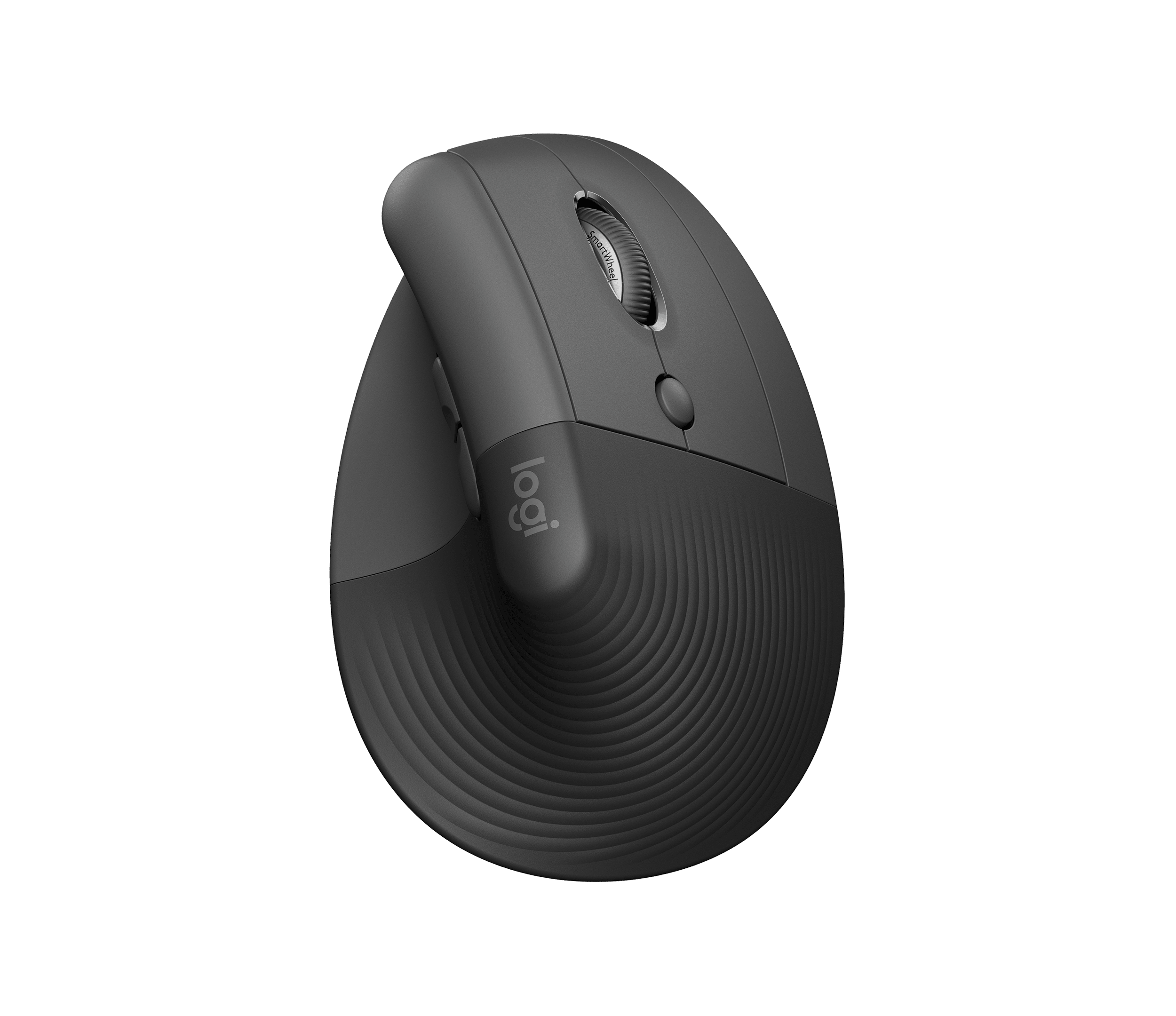
Logitech Lift Vertical Ergonomic Mouse
A good first vertical mouse for small to medium hands and a more neutral wrist angle.
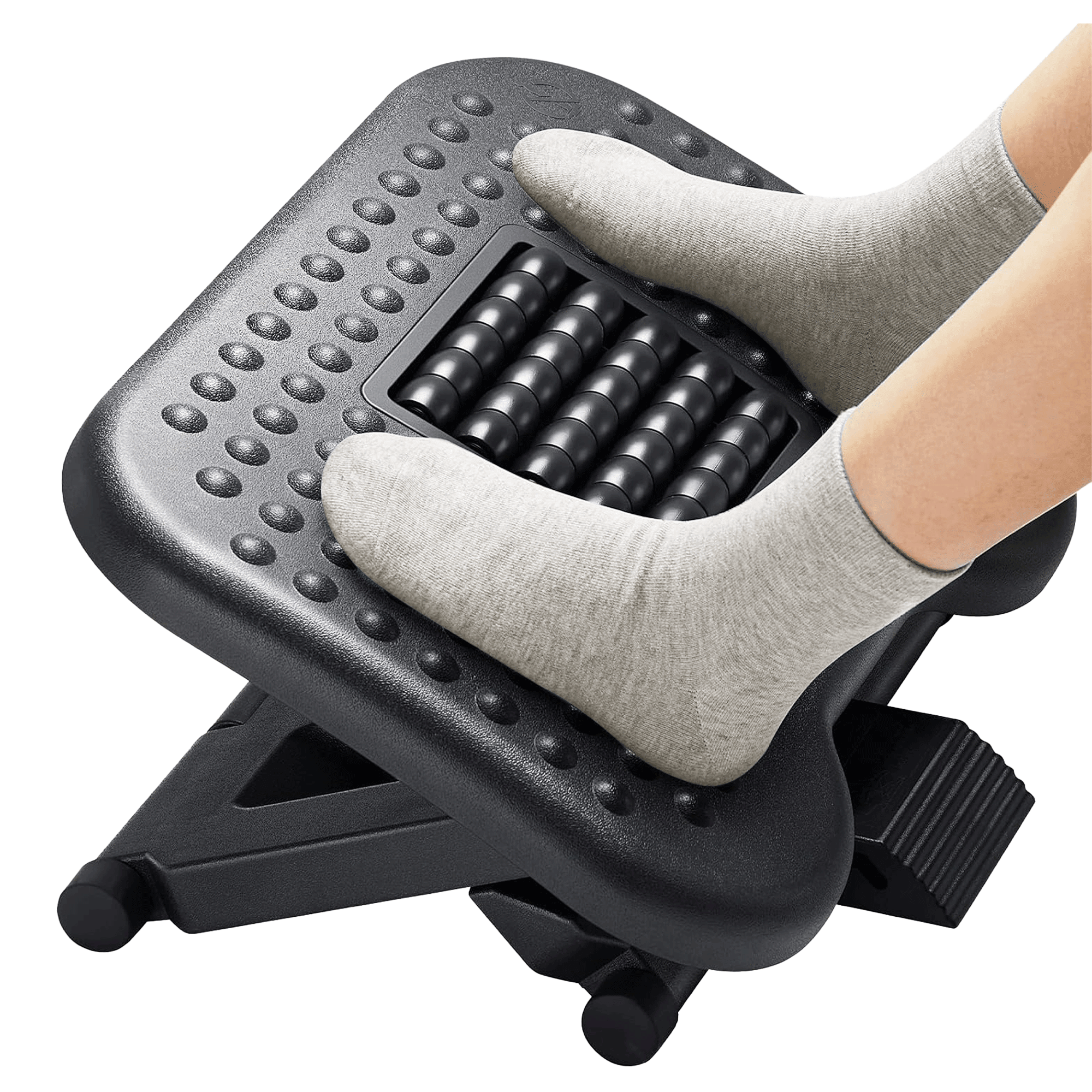
HUANUO Adjustable Foot Rest
Useful when the desk forces the chair higher than your feet naturally want to sit.
How to Choose Without Overbuying
Measure the part of the setup that is causing the issue before you buy. Check monitor base size, desk height, chair height, hand size, and available desk depth. A product that is technically good can still be wrong for your space if it is too tall, too wide, too soft, or too hard to adjust.
Choose the product you will use every day. The best ergonomic upgrade is boring in the right way: it disappears into the routine because it makes the routine less annoying.
When to Skip the Purchase
Skip the purchase if the product does not address the actual mismatch. If your neck hurts because the laptop is low, a new chair will not be the first fix. If your wrists hurt because the mouse is too far away, a wrist rest alone may not solve it. If your feet are unsupported, a nicer keyboard is not the priority.
Note: This article is shopping guidance, not medical advice. If you have ongoing pain, numbness, injury symptoms, or a diagnosed condition, talk with a qualified clinician before depending on desk products to solve it.