Affiliate disclosure: Modern Ergonomic may earn a commission from qualifying purchases through Amazon links in this article. Product availability, pricing, reviews, and seller details can change quickly, so use the Amazon buttons to confirm the current listing before buying.
A new chair is the dramatic ergonomic purchase. It is also the expensive one, the hard-to-return one, and the one people tend to buy before they have fixed the rest of the desk.
If your screen is too low, your laptop is folded into the table, your feet are dangling, and your wrist is twisted all day, even a very good chair can feel like it is losing the argument. So this is the list I would start with first: seven smaller desk upgrades that can make the whole setup feel more intentional before you replace the seat underneath you.
The goal is not to buy all seven at once. The goal is to find the one part of your desk that creates the most repeated annoyance, fix that first, and then move down the chain.
1. Raise the Screen: HUANUO Adjustable Monitor Stand Riser
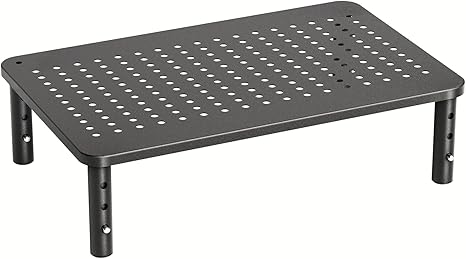
Most desk discomfort starts with the screen sitting lower than your eyes want it to be. A monitor riser is not exciting, but it can be one of the highest-value ergonomic purchases because it changes the default position of your head and neck every time you sit down.
The HUANUO adjustable riser is the kind of simple metal platform that works best when you just need height, airflow, and a little storage underneath. It is especially useful if you are not ready to commit to a monitor arm.
Buy this first if: you catch yourself looking down at the screen or stacking books under your monitor.
Skip it if: your monitor base is unusually wide or you need fine-grained positioning. In that case, a monitor arm may be the cleaner move.
Check the HUANUO monitor riser on Amazon
2. Unfold the Laptop: Rain Design mStand
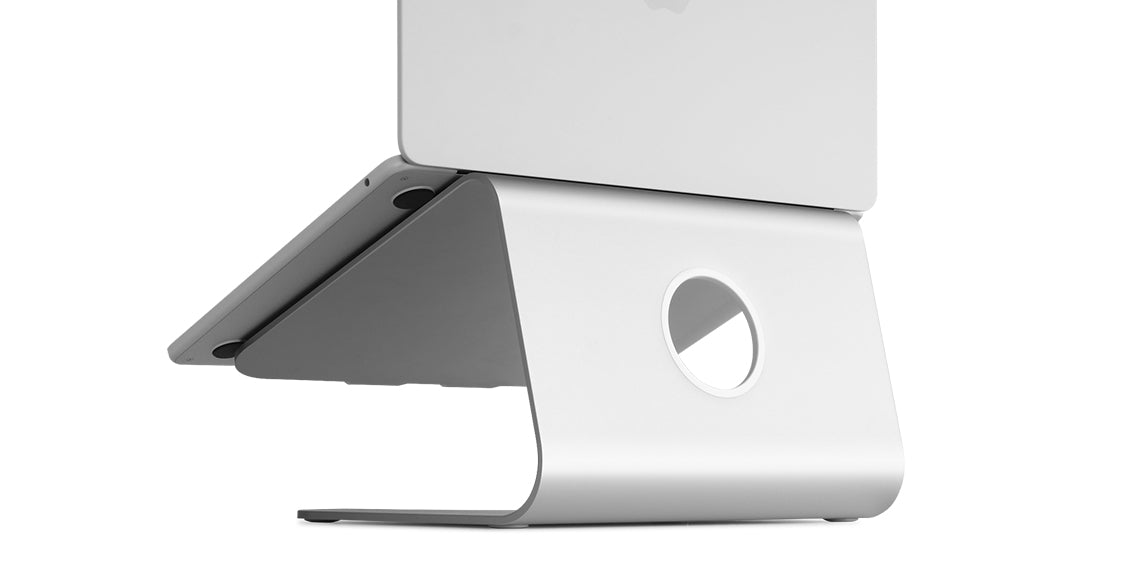
A laptop is portable, but it is not automatically ergonomic. When the keyboard is at typing height, the screen is usually too low. When the screen is high enough, the keyboard is awkward. A stand solves that by turning the laptop into a small desktop display.
The Rain Design mStand is a fixed aluminum stand with a cleaner look than most adjustable travel stands. It makes the most sense for a desk where the laptop stays most of the day, paired with a separate keyboard and mouse.
Buy this first if: your laptop is your main computer and you work from one desk most of the time.
Skip it if: you need something collapsible for a backpack or you want height adjustability.
Check the Rain Design mStand on Amazon
3. Change the Wrist Angle: Logitech Lift Vertical Mouse
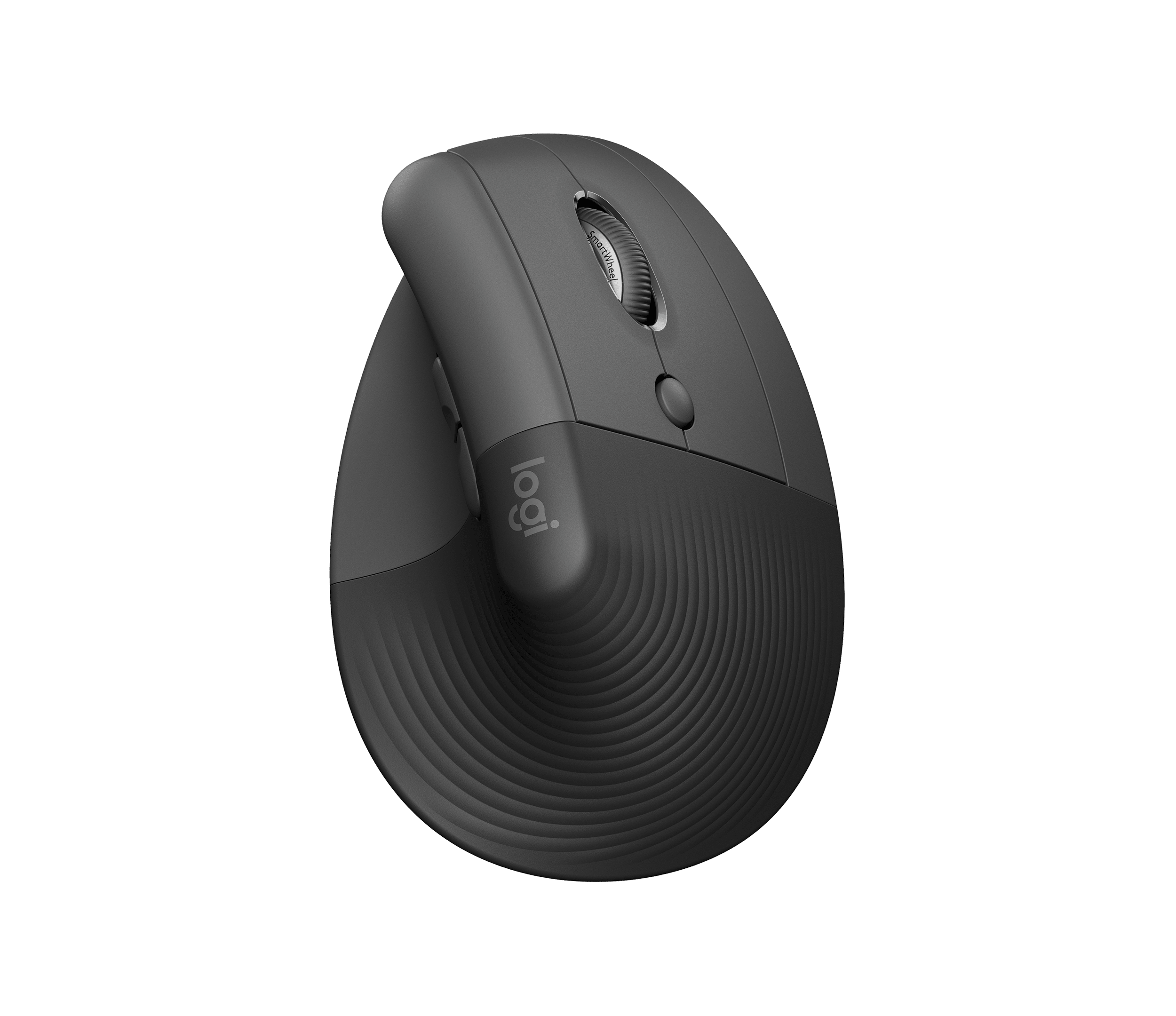
The mouse is one of those tiny objects that quietly shapes your entire workday. A flat mouse can be fine for some people, but if your wrist and forearm feel irritated after hours of clicking, a vertical mouse is an easy experiment.
The Logitech Lift is a friendly first choice because it is not enormous, it looks modern, and it has quiet clicks. It is designed for small to medium hands, so fit matters more than the product’s popularity.
Buy this first if: your mouse hand feels tense and you want a more neutral handshake-style position.
Skip it if: you have large hands. Logitech’s MX Vertical or another larger vertical mouse may be a better match.
Check the Logitech Lift on Amazon
4. Soften the Desk Edge: Kensington Duo Gel Keyboard Wrist Rest
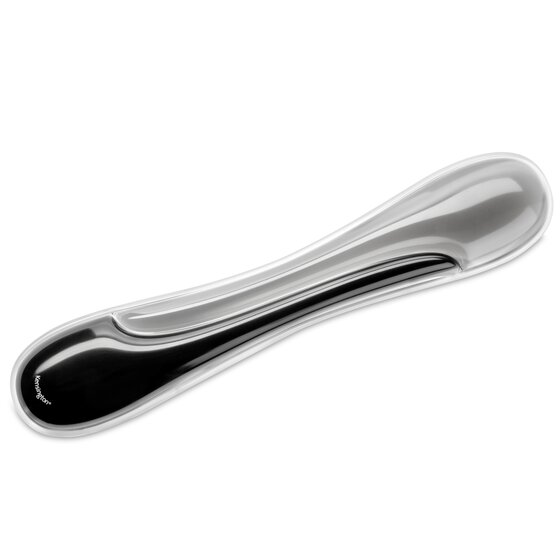
A wrist rest is not supposed to be a place where you smash your wrists while typing. Used lightly, it is more like a landing zone for pauses: it softens the desk edge and gives your hands a more comfortable place to reset.
The Kensington Duo Gel wrist rest is a classic full-width option with a wipeable surface and a firmer feel than cheap foam strips. It is most useful with standard-height keyboards.
Buy this first if: the front edge of your desk or keyboard tray feels harsh during long sessions.
Skip it if: your keyboard is already very low-profile. Too much wrist-rest height can make your hand angle worse.
Check the Kensington Duo Gel wrist rest on Amazon
5. Give Your Feet Somewhere to Go: HUANUO Adjustable Foot Rest
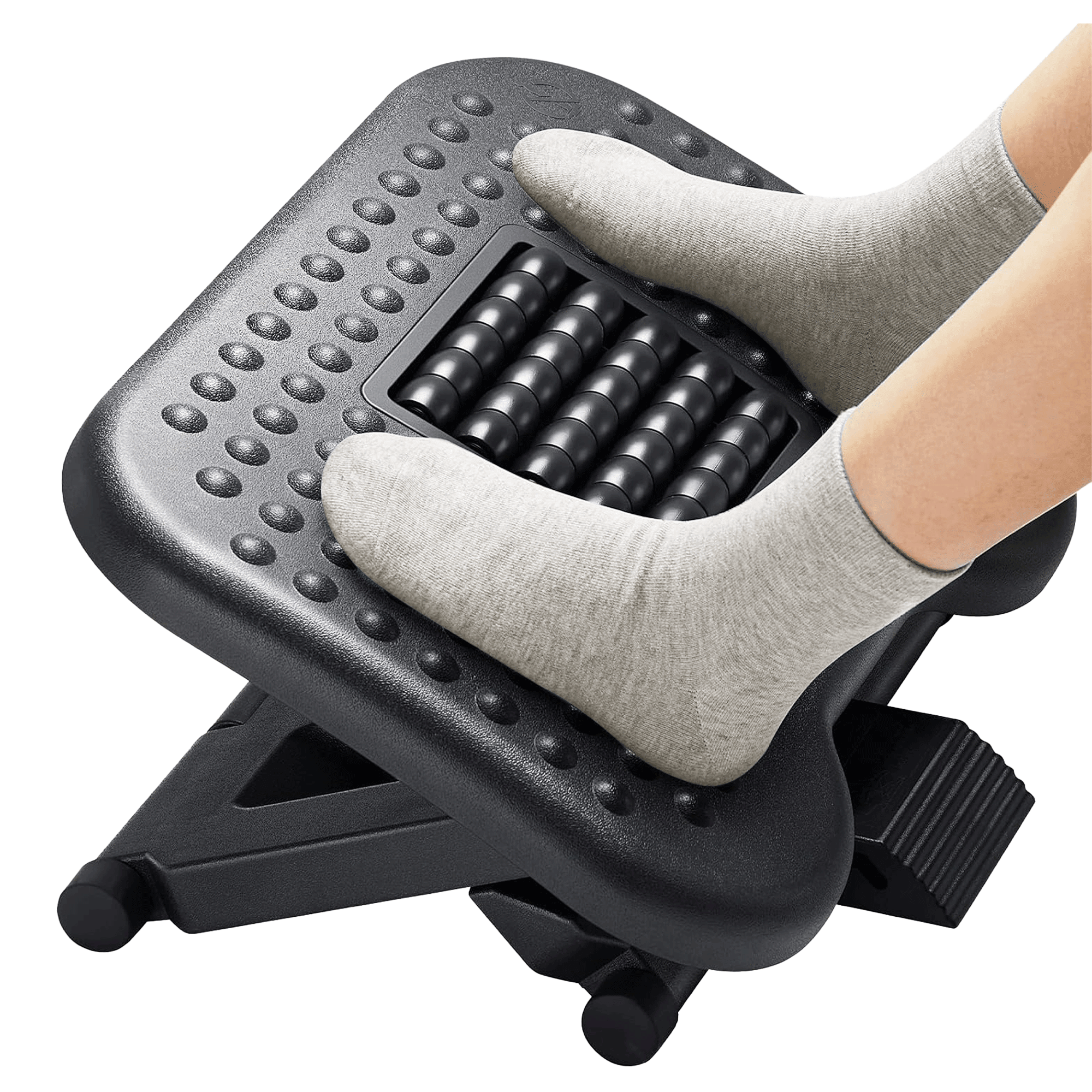
A chair can only do so much if your feet are not supported. This happens a lot when the desk height forces the chair higher than your legs would naturally choose. The result is a setup that technically “fits” your arms but leaves your lower body improvising.
The HUANUO adjustable foot rest gives your feet a defined place to land, plus a rocking surface for people who like a little movement while sitting.
Buy this first if: your feet hover, tuck behind the chair, or never feel settled.
Skip it if: your feet already rest flat on the floor with your chair and desk adjusted correctly.
Check the HUANUO foot rest on Amazon
6. Improve a Chair You Already Own: Cushion Lab Back Relief Lumbar Pillow
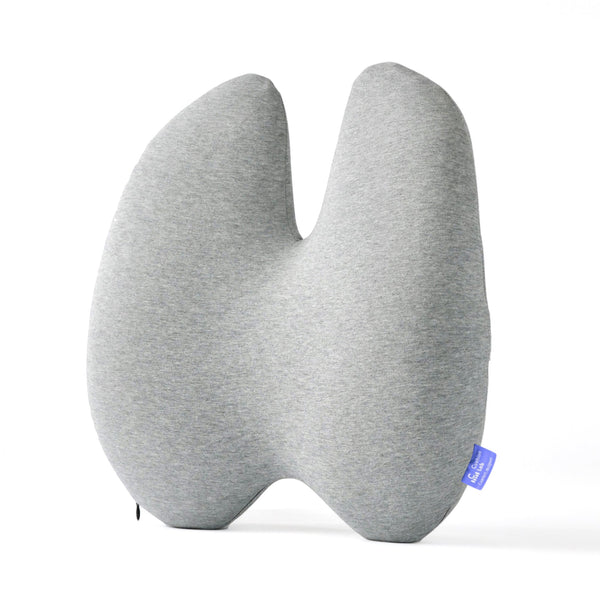
If your chair is basically fine but vague in the lower back, a lumbar pillow can be a smarter first move than replacing the entire chair. The trick is choosing support that fills the missing space without shoving you forward.
Cushion Lab’s Back Relief pillow has a more sculpted shape than a basic rectangle, which makes it a good candidate for plain office chairs, dining chairs used as desk chairs, and older chairs that have lost their support.
Buy this first if: your chair has no real lower-back shape but is otherwise usable.
Skip it if: your chair already has strong built-in lumbar support.
Check the Cushion Lab lumbar pillow on Amazon
7. Make Standing Less Static: Ergodriven Topo Standing Desk Mat
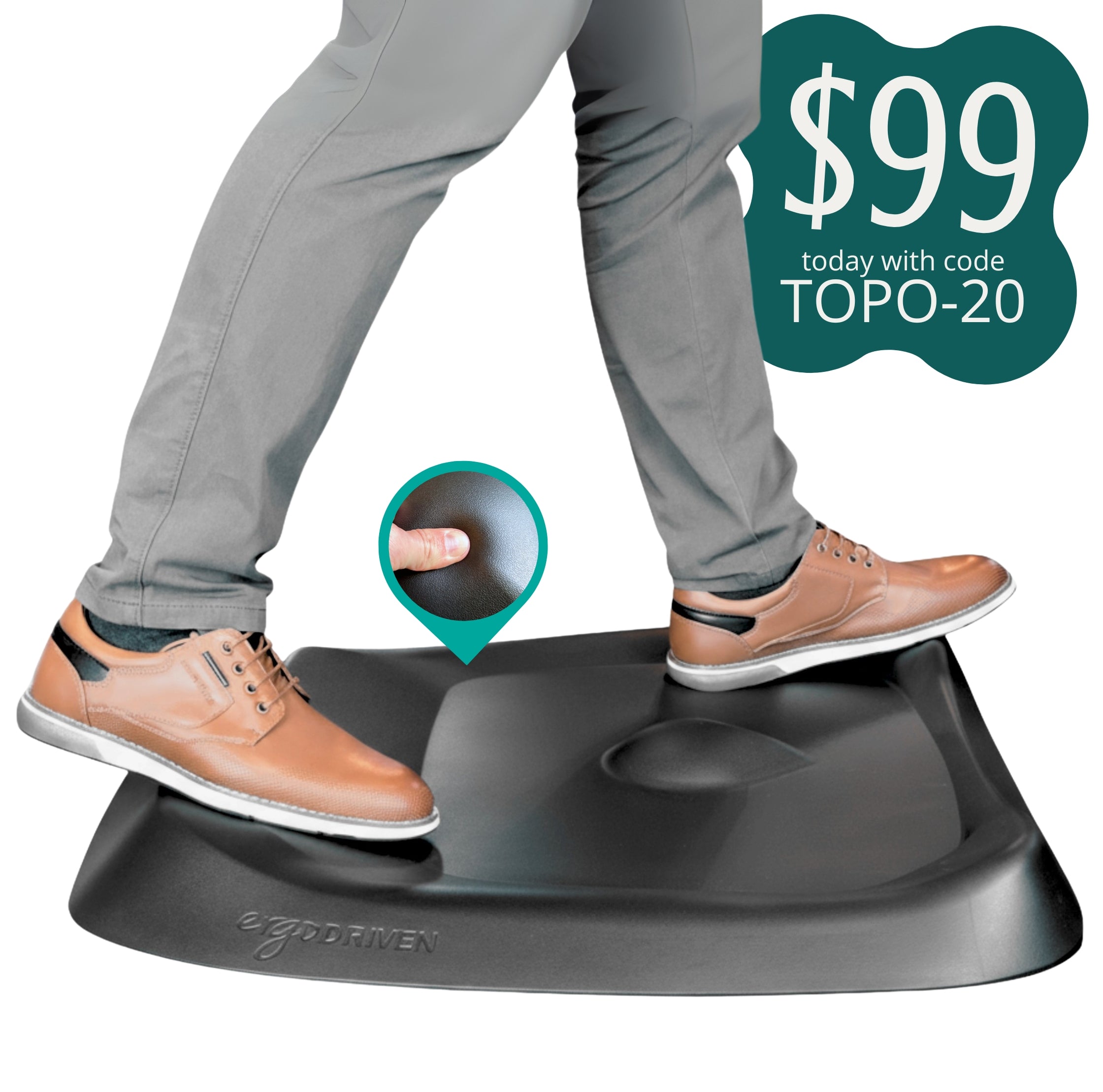
A standing desk does not help much if it just turns sitting still into standing still. The better version is changing positions more often. A standing mat makes that easier, especially if it gives your feet places to shift.
The Ergodriven Topo is more active than a flat anti-fatigue mat. It has raised terrain that encourages subtle movement, which is exactly what a standing setup needs.
Buy this first if: you own a standing desk but avoid standing mode because it feels uncomfortable after a few minutes.
Skip it if: you rarely stand at your desk. A mat only matters if you will actually use it.
Check the Ergodriven Topo mat on Amazon
The Order I’d Buy Them In
Start with the problem you feel most often. Neck strain usually points to screen height. Wrist irritation usually points to mouse, keyboard, or desk-edge issues. Restless legs and awkward posture often point to chair height, foot support, or seat depth. A standing desk that never gets used probably needs a better standing surface.
That is the modern ergonomic approach I like best: not buying a perfect setup, but removing the most obvious sources of friction one at a time.
Note: This article is shopping guidance, not medical advice. If you have ongoing pain, numbness, injury symptoms, or a diagnosed condition, talk with a qualified clinician before depending on desk products to solve it.