Affiliate disclosure: Modern Ergonomic may earn a commission from qualifying purchases through links in this article. Product availability, pricing, and reviews change often, so treat the Amazon links here as shopping starting points rather than final endorsements.
Reddit is not a medical journal and it is definitely not a substitute for a physical therapist. But it is useful for something else: seeing what real desk workers keep buying, returning, tweaking, and complaining about after the initial “new setup” excitement wears off.
For this guide, I looked through recent discussions in communities like r/Ergonomics, r/StandingDesk, r/desksetup, r/MouseReview, and r/OfficeChairs. The pattern was pretty clear. People rarely fix a bad workspace with one miracle product. They usually make a handful of small upgrades that remove friction: the screen comes up, the laptop stops forcing a hunch, the mouse angle changes, the feet have somewhere to land, the cables stop pulling, and the light stops fighting the screen.
So this is not a “best products on Amazon” list yet. It is a cleaner first pass: the ten ergonomic desk accessories Reddit keeps circling back to, why each one matters, and what to look for before buying.
The Short List
- Monitor riser: raises the screen without rebuilding the whole desk.
- Laptop stand: turns a laptop from neck trap into usable workstation.
- Vertical mouse: changes wrist rotation for people who dislike flat mice.
- Keyboard wrist rest: useful only when it supports neutral typing habits.
- Footrest: helps shorter users, tall desks, and restless sitting positions.
- Lumbar cushion: can rescue a weak chair, but fit matters more than hype.
- Seat cushion: helps pressure comfort, though it can also change seat height.
- Task lamp or monitor light bar: improves evening work without screen glare.
- Under-desk cable tray: keeps sit-stand setups from becoming cable drama.
- Standing desk mat: makes standing feel less like standing on punishment.
1. Monitor Riser
A monitor riser is one of the least glamorous upgrades, which is exactly why it tends to work. If your monitor is too low, you compensate with your neck and upper back all day. A riser fixes the geometry without asking you to buy a new display arm or desk.
Look for a riser that is wide enough for your monitor base, stable under weight, and not so tall that it sends the top of the screen above your natural eye line. Storage underneath is nice, but the real win is screen height.
2. Laptop Stand
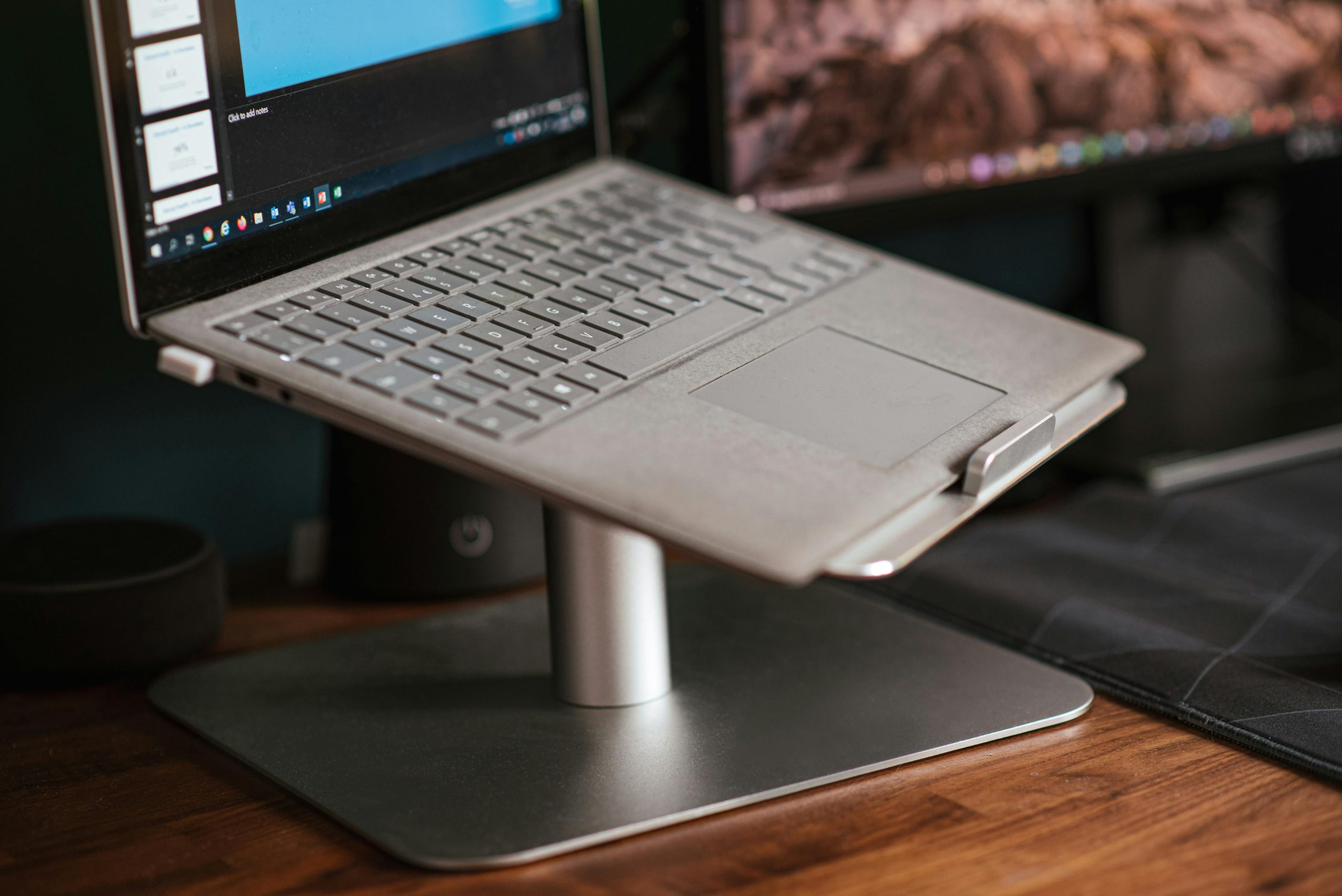
A laptop stand is the laptop version of a monitor riser, with one important caveat: it works best when paired with an external keyboard and mouse. Raising the screen while still typing on the built-in keyboard usually just moves the strain from your neck to your shoulders.
Reddit setup threads keep coming back to simple metal stands because they are stable, clean, and portable enough to move around. Adjustable height is useful, but only if the hinge does not wobble while you type or touch the trackpad.
3. Vertical Mouse
Vertical mice are polarizing, which is actually a good sign. Some people try one and immediately hate the slower, taller grip. Others say they would never go back because it puts the forearm in a more handshake-like position.
The smart move is to start with fit. A vertical mouse that is too large can create its own strain. A cheap one can be useful for testing the shape, but daily users often care about sensor quality, button feel, scroll wheel reliability, and whether the slope is gentle or truly upright.
4. Keyboard Wrist Rest
A wrist rest sounds simple, but it is easy to use badly. The goal is not to press your wrists down while typing. The better use is light support during pauses, or a softer landing zone that keeps your hands from collapsing into the desk edge.
For low-profile keyboards, a tall wrist rest can push your hands upward. For mechanical keyboards, the extra height may actually help. Material is personal: memory foam feels softer, gel stays cooler for some people, and wood or leather-style rests are firmer and cleaner-looking.
Shop keyboard wrist rests on Amazon
5. Footrest
Footrests show up constantly in ergonomic advice because desk height rarely fits every body. If your chair is adjusted so your arms meet the desk correctly but your feet do not sit comfortably on the floor, a footrest can close that gap.
The best ones are not just little platforms. Look for enough width to change position, a non-slip surface, and either an angle that suits you or an adjustable tilt. If you fidget, a rocking footrest can be more useful than a fixed one.
Shop under-desk footrests on Amazon
6. Lumbar Cushion
A lumbar cushion can make a basic chair feel more intentional, but it can also make a good chair worse if the shape fights your back. Reddit chair discussions tend to come back to the same theme: support is personal, and the wrong bump in the wrong place becomes annoying fast.
Choose a cushion with adjustable straps, moderate firmness, and a return policy you can live with. If your chair already has strong built-in lumbar support, adding more may push you too far forward.
Shop lumbar cushions on Amazon
7. Seat Cushion
Seat cushions are best thought of as pressure tools, not magic posture tools. They can soften a hard chair, change hip angle, or reduce pressure during long sessions. But they also raise your seated height, which changes arm position, foot position, and monitor alignment.
That means a seat cushion should be judged as part of the whole setup. If it makes your feet dangle or your shoulders shrug toward the desk, it solved one problem by creating another.
8. Task Lamp or Monitor Light Bar
Lighting is one of the most underrated ergonomic upgrades because it changes how hard your eyes and neck work. If your room is dim, you lean in. If your lamp throws glare on the screen, you shift around it. A focused task lamp or monitor light bar can make the desk feel calmer at night.
Reddit desk setup threads often favor monitor light bars because they free up desk space and direct light down toward the work surface. A regular task lamp can be better if you read notebooks, sketch, or want warmer atmosphere.
Shop task lamps and monitor light bars on Amazon
9. Under-Desk Cable Tray
Cable management is not just an aesthetic issue on a standing desk. If cables snag, pull, or drag when the desktop moves, the setup becomes less pleasant to use. Recent r/StandingDesk and r/desksetup threads repeatedly recommend the same core system: mount the power strip under the desktop, collect the bricks in a tray, and give the moving cable run a controlled path.
For buying, capacity matters more than prettiness. Check whether the tray can hold your power strip and adapters, whether it screws in or clamps on, and whether a cable spine makes sense for your desk.
Shop under-desk cable trays on Amazon
10. Standing Desk Mat
A standing desk mat is not there to make you stand all day. It is there to make short standing sessions more comfortable, so you actually rotate positions instead of abandoning standing mode after two days.
Flat anti-fatigue mats are clean and simple. More sculpted mats give you edges, ridges, and angles to move your feet around. The more you fidget, the more useful those features can be. The main thing is to avoid treating the mat as permission to stand still for hours.
Shop standing desk mats on Amazon
What I Would Buy First
If the desk feels physically wrong, start with height: monitor riser, laptop stand, footrest. If the body feels irritated by input devices, look at the vertical mouse and wrist rest. If the chair is the weak point, test lumbar and seat support carefully. If the setup is visually stressful, fix lighting and cable management.
The best ergonomic upgrade is usually the one that removes the most frequent annoyance. Not the fanciest item. Not the most aggressively marketed one. The thing you stop noticing because your body no longer has to negotiate with it every five minutes.
Reddit Threads Used for This Guide
- r/Ergonomics discussion on a “perfect” ergonomic setup
- r/StandingDesk discussion on under-desk cable management
- r/desksetup discussion on cable management for sit-stand desks
- r/MouseReview discussion on vertical mice
- r/desksetup discussion on desk lighting and monitor light bars
- r/OfficeChairs discussion on lumbar support and seat comfort
Note: This guide is for workspace comfort and shopping research, not medical advice. If you have persistent pain, numbness, injury, or diagnosed musculoskeletal issues, talk with a qualified clinician before relying on desk accessories to solve it.